How AI Fits Into the Visual Content Workflow
AI image and video tools are becoming practical assistants for everyday content production. Their value is not limited to producing a finished picture or clip from a short prompt. They can help a creator move through a sequence of decisions: clarifying an idea, planning a visual treatment, producing rough assets, adapting those assets, and revising them after review.
This makes AI most useful as a workflow layer rather than a replacement for creative judgment. A marketer may begin with a campaign message, a teacher with a lesson concept, or a small business owner with a product announcement. AI can turn that starting point into visual directions, draft compositions, alternate scenes, and platform-ready variations. The human still decides which idea is accurate, appropriate, and worth developing.
A practical workflow usually starts with a brief. The brief should identify the audience, purpose, tone, subject, format, and restrictions. Feeding this context into an AI tool produces more useful options than asking for an attractive image without a clear job. The creator can then select a direction, preserve useful references, and build a small collection of approved assets.
Review should happen at every stage. Early checks catch a weak concept, while later checks catch awkward motion, inconsistent details, misleading edits, or a mismatch between the visual and the message. Treating each output as a draft keeps the process flexible and makes it easier to combine AI generation with familiar design, editing, and publishing software.
Turning Ideas Into Visual Plans

The earliest stage of production often consumes more time than expected. Creators must decide what the audience should see first, what action or emotion a scene should create, and how a message can fit into a limited duration. AI can make this exploration faster by generating multiple directions before substantial production begins.
One effective approach is to ask for concepts in a structured format. Instead of requesting a single image, describe the communication goal and ask for several treatments, each with a visual style, setting, subject, color approach, and intended audience response. These alternatives give the creator material to compare. The best result may also be a combination of elements from different proposals.
AI can help turn a selected concept into a shot list or storyboard. A creator can define the opening image, key action, transition, supporting detail, and closing frame. The resulting plan makes missing information visible. It can reveal that a product is never shown clearly, that a visual sequence has no natural transition, or that a claim depends on an image the production cannot realistically create.
Storyboards should be treated as planning aids, not promises of final continuity. Generated frames may vary in character appearance, camera position, or object design. To improve control, keep prompts specific about recurring subjects and use approved reference images where the tool supports them. Record decisions about framing, lighting, wardrobe, and movement so later generations have a consistent vocabulary.
For video, planning also means describing time. Prompts and production notes should distinguish what is visible at the beginning, what changes during the shot, and where the motion ends. Short, clearly defined actions are generally easier to review and revise than a request for an entire complex sequence.
Generating and Editing Images and Video Assets
Once a visual direction is approved, AI can support asset production in several ways. It can create a first-pass illustration, generate background options, extend an image beyond its original boundaries, remove distractions, or suggest alternate compositions. In video workflows, it can help produce a short sequence, modify a visual element, or create supporting footage for an edit.
The strongest process separates generation from selection. Ask for a manageable set of alternatives, compare them against the brief, and keep only the candidates that solve a real communication problem. More outputs do not automatically produce a better result. A clear selection standard prevents a production folder from filling with attractive but unusable material.
Editing requests should be concrete and localized. Describe what must remain unchanged and what may change: preserve the subject and camera angle, replace the background, adjust the crop, or remove one object. This is safer than asking for a completely new version when only one detail needs correction. For video, specify the affected moment or shot and check whether the edit changes timing, sound, or continuity.
AI-generated assets often need conventional finishing. Designers may need to correct color, typography, layout, masking, or small anatomical and geometric errors. Editors may need to trim awkward motion, replace a transition, balance audio, or combine generated footage with recorded material. The practical advantage is speed during exploration and revision, while established tools remain valuable for precision and final assembly.
Use version labels and a simple approval log. Note the prompt or source reference, the intended use, the selected variation, and requested changes. This creates a shared memory for a team and makes it easier to return to a reliable version when a later experiment moves in the wrong direction.
Repurposing Content Across Formats and Audiences
A single visual asset rarely fits every channel. A landscape video may need a vertical cut, a product image may need a square composition, and a long explanation may become a short social clip. AI tools can accelerate this repurposing by proposing crops, extending backgrounds, reframing subjects, generating shorter edits, and preparing alternate visual treatments.
Repurposing should begin with the communication priority, not with automatic resizing. Decide which subject, action, or phrase must survive in the new format. Then check whether the original composition supports that priority. If the key detail sits at the edge of the frame, a simple crop may fail; an expanded background or a newly composed shot may be more appropriate.
AI can also assist localization. A creator may adapt visual examples, captions, voiceover scripts, or on-screen layouts for a different language or region. Every localized version still requires human review for meaning, cultural fit, reading speed, and visual hierarchy. Translation that is technically understandable may still make a headline too long or alter the intended tone.
Build a reusable asset system around approved elements. Keep master images, clean video clips, logos, captions, and brand references separate from channel-specific versions. This allows AI to generate variations without losing track of the original source. It also makes later corrections easier: update the master, then rebuild the affected adaptations rather than manually repairing every copy.
Repurposing works best when each version has a defined audience and action. The same image can support awareness, instruction, or conversion, but the crop, pacing, and supporting text may need to change. AI supplies options; the brief determines which option belongs in the final package.
Managing Consistency, Quality, and Rights
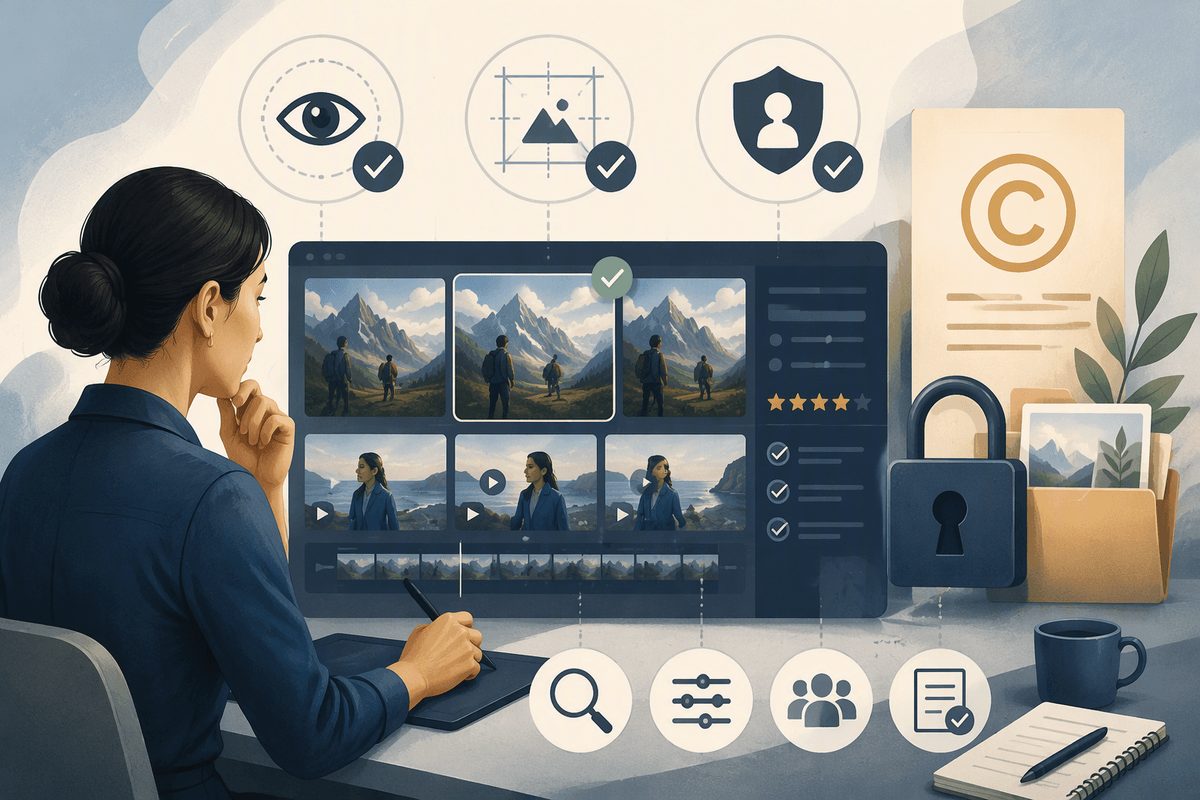
Speed does not remove the need for quality control. AI outputs can contain visual inconsistencies, unclear details, unintended changes, or elements that conflict with the brief. A review checklist should cover the subject, composition, motion, text, brand requirements, accessibility, and the relationship between the visual and the surrounding copy.
Consistency is especially important when several images or clips belong to one campaign. Define a small visual system: recurring colors, lens or framing preferences, character descriptions, environment details, and rules for displaying products. Use the same references and terminology across prompts. Even then, inspect sequences together rather than approving each asset in isolation. A detail that looks acceptable alone may become distracting when it changes from shot to shot.
Rights and permissions should be considered before publication. Keep records of source materials, supplied references, edits, approvals, and the intended distribution. Do not assume that an AI-generated result automatically clears every concern. Review whether the work includes recognizable people, private material, protected brand elements, or third-party content, and follow the rules that apply to the project and its channels.
Human review also protects trust. Avoid visuals that imply an event happened, a person endorsed something, or a product performs in a way the underlying message cannot support. If an image is illustrative rather than documentary, make that distinction clear when the context could confuse viewers.
The most reliable AI workflow is therefore collaborative and documented. Let AI widen the range of possibilities and reduce repetitive production work, while people retain responsibility for facts, taste, continuity, permissions, and final approval. That balance turns generation into a dependable part of content production rather than a source of uncontrolled variation.